

One client hasn't submitted an intake form. Another is missing a document. A third has an appointment tomorrow, but nobody has reviewed their prior-year notes. Meanwhile, the team is tracking deadlines, answering questions, preparing returns, and trying to keep hundreds of engagements moving forward.
None of these individual responsibilities is particularly unusual. Together, however, they consume an enormous amount of time.
Traditional tax workflow automation has helped firms manage this complexity through document requests, reminders, task assignments, and status tracking. Those tools remain important, but they don't necessarily eliminate the need for professionals to constantly monitor what's happening.
AI-powered automation introduces another possibility.
Instead of manually reviewing every engagement to determine which clients need attention, professionals can ask their technology to help identify outstanding work, organize relevant information, and prepare recommended next steps.
And instead of limiting automation to the busiest months of the year, firms can use recurring reviews to support more proactive tax planning.
That's the opportunity behind an AI-native approach to tax practice management.
What Is Tax Preparation Automation?
Tax preparation automation refers to using technology to reduce repetitive work throughout the tax preparation process.
Common examples include automated document requests, intake forms, appointment reminders, task assignments, and workflow notifications.
These processes help firms stay organized, particularly when managing large volumes of returns.
But many tax practices still depend on employees to determine which matters require attention.
A workflow system may show that a document request remains outstanding. Someone still needs to recognize whether the missing information could delay an appointment or affect an upcoming deadline.
An engagement dashboard may show several incomplete tasks. Someone must decide which issues deserve immediate attention.
AI-powered tax workflow automation can help bridge that gap by reviewing accessible information and preparing more useful summaries of what needs to happen next.
The distinction is between software that records the status of work and technology that helps professionals act on that information.
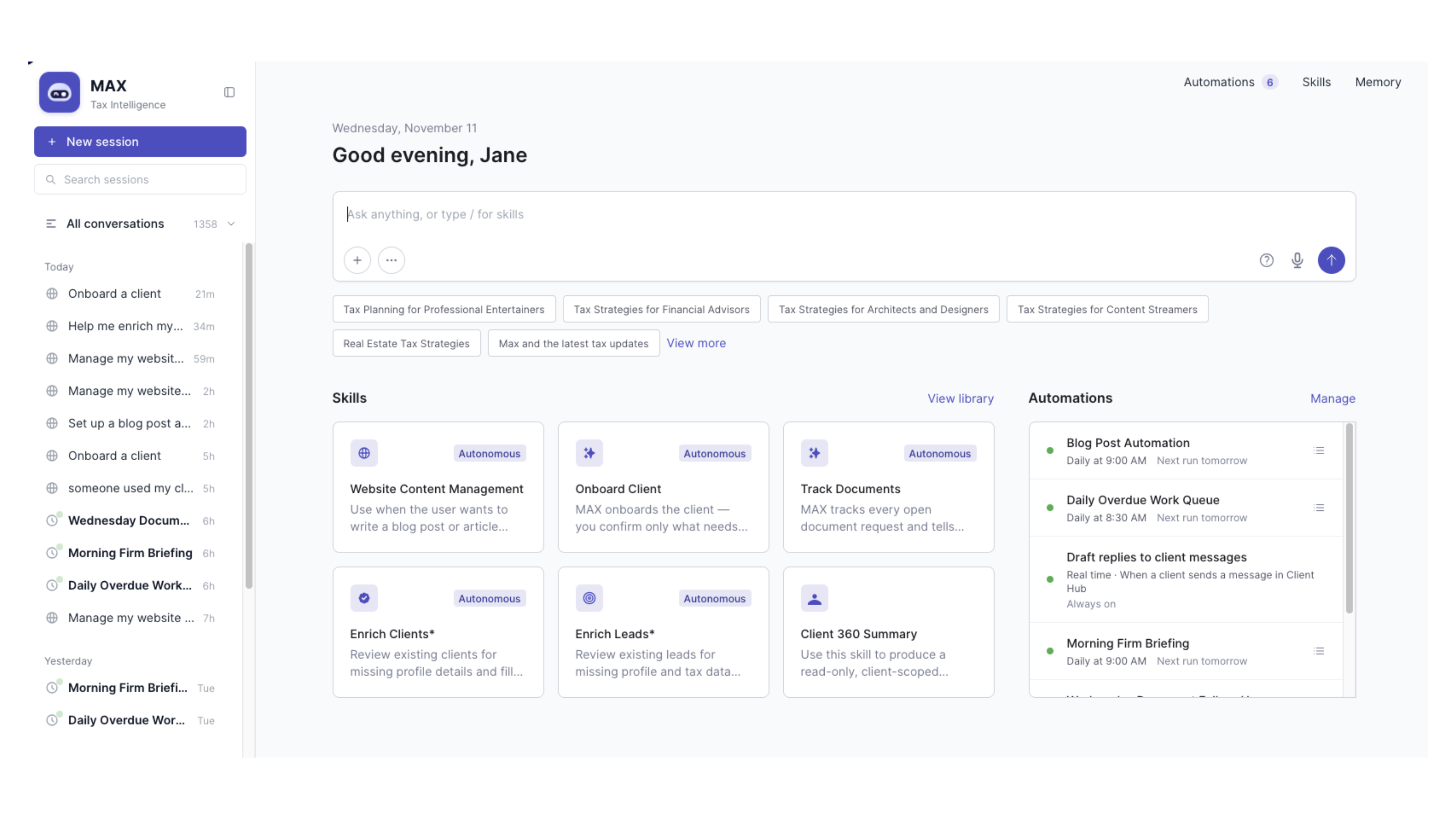
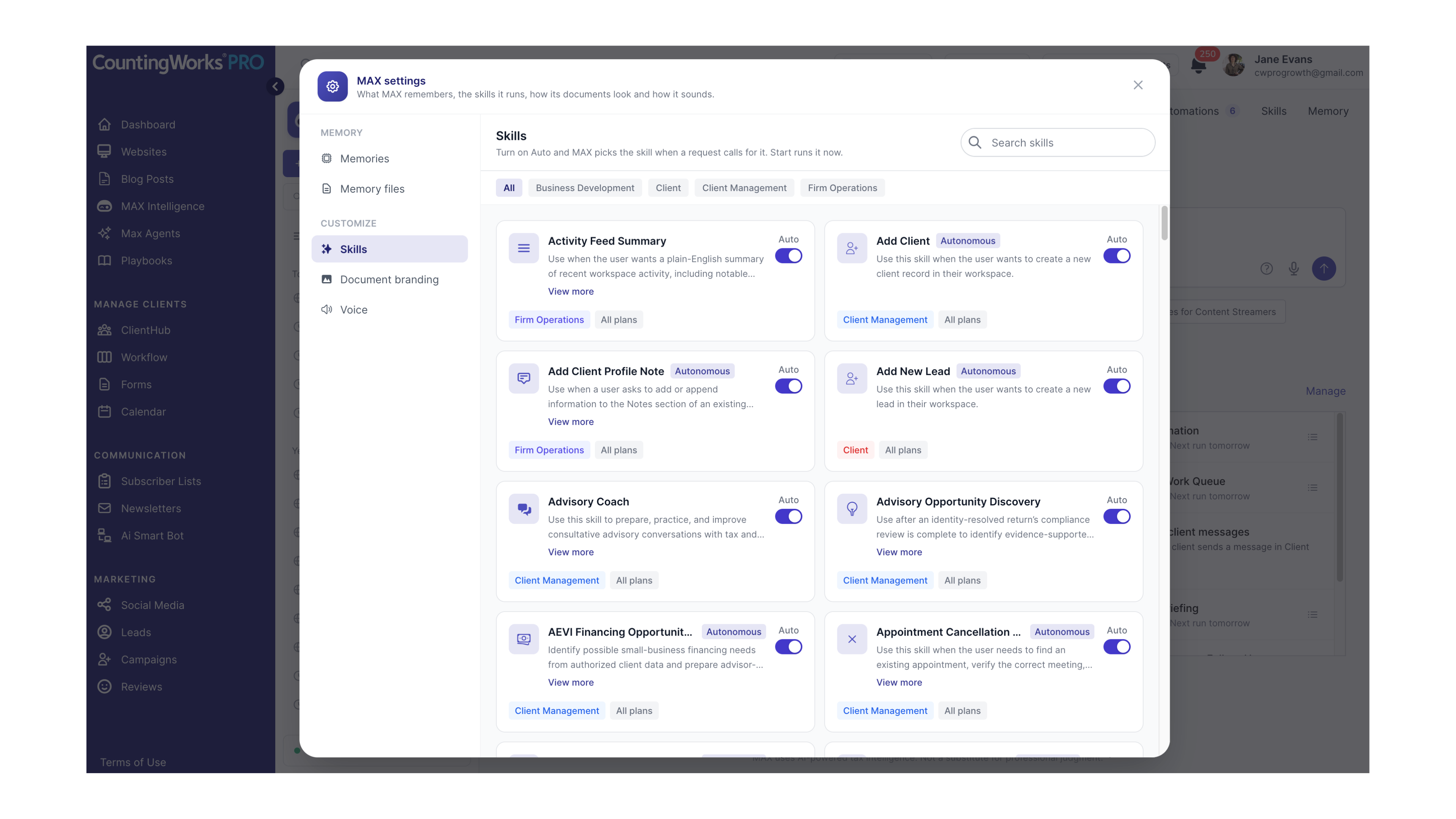
CountingWorks PRO is developing this conversational approach through MAX Automations.
Instead of requiring users to configure every process through a series of screens, MAX is designed to let professionals describe what they want accomplished in everyday language.
For example:
Every weekday during tax season, review my outstanding client document requests. Identify the clients who may need follow-up, prioritize matters with confirmed approaching deadlines, and prepare a list of recommended next steps.
With the appropriate information, permissions, and supported capabilities, an automation can help prepare that review on a recurring schedule.
The tax professional remains responsible for verifying the findings and making appropriate decisions.
For a broader look at the possibilities, explore our 56 Ways to Automate Your Tax & Accounting Practice With MAX.
Seven Ways to Automate Individual Tax Preparation Workflows
Individual tax preparation involves numerous client interactions and administrative responsibilities.
The following automations focus on helping firms manage those responsibilities more consistently while giving professionals better visibility into work that may require attention.
1. Identify Outstanding Tax Documents
Missing documents are among the most familiar causes of tax-season delays.
A client may have completed an intake form but failed to provide supporting information. Another may have responded to several requests while overlooking one important item.
Rather than manually checking every client file, firms can establish a recurring review of verified outstanding document requests.
Example MAX instruction:
Every morning during tax season, review verified outstanding document requests. Identify the clients who may require reminders or personal follow-up.
The resulting list can help staff determine which clients need attention before an incomplete file creates additional complications.
2. Monitor Intake Form Completion
Intake forms help professionals gather information before preparing returns or meeting with clients.
When forms remain incomplete, staff may not have enough information to prepare for an appointment or begin the next stage of an engagement.
A daily intake review can help identify these situations.
Example MAX instruction:
Every weekday, identify clients with outstanding intake forms and prioritize those with confirmed approaching appointments or deadlines.
This gives the firm a more focused follow-up list rather than requiring employees to examine every intake record individually.
3. Prepare for Upcoming Tax Appointments
Tax appointments are more productive when professionals have reviewed the client's information beforehand.
But preparing for multiple appointments can require considerable time, particularly during peak filing season.
An automated briefing can help organize the information already available.
Example MAX instruction:
Two days before a scheduled tax preparation appointment, prepare a summary of the client's existing information, completed intake materials, outstanding requests, and relevant questions.
The professional can then review the briefing, verify the details, and prepare for the conversation.
4. Review Prior-Year Client Follow-Ups
Returning tax clients often have questions or circumstances that carry forward from one year to the next.
A prior-year discussion may have included estimated payments, a business transition, a significant purchase, or another issue worth revisiting.
Without a consistent process, those details can be overlooked.
Example MAX instruction:
Before preparing a returning client's appointment brief, review available prior-year notes and documented follow-up items. Suggest questions that should be revisited.
This helps make prior-year context part of the current client experience rather than leaving it buried in historical notes.
5. Identify Tax Return Workflow Bottlenecks
A tax return can become delayed for many reasons.
Perhaps a client hasn't responded to a question. An internal review task may be overdue. An engagement may have a documented blocker that requires attention from another employee.
An AI-assisted workflow review can help identify where progress appears to have stalled.
Example MAX instruction:
Every morning, identify tax preparation work with overdue tasks, documented blockers, or outstanding client actions. Prioritize items that may be at risk of delay.
This allows the firm to investigate potential bottlenecks before they become more difficult to resolve.
6. Identify Tax Planning Opportunities
Tax preparation provides an opportunity to recognize clients who may benefit from additional planning.
A client's circumstances may have changed since the previous year. An existing note may identify a planning question that hasn't been addressed. A business owner may have discussed an upcoming decision that warrants further review.
An automated review can help organize documented opportunities for professional consideration.
Example MAX instruction:
Each month, review clients with documented tax-planning needs or significant changes in their circumstances. Prepare a list of potential planning conversations for professional review.
The system should not assume that a particular strategy is appropriate based on incomplete information.
Instead, the objective is to help the tax professional identify which situations deserve further investigation.
7. Prepare Post-Filing Client Follow-Ups
For many clients, the relationship with their tax professional becomes quiet after a return is filed.
But the period following filing can be a useful time to discuss recordkeeping, estimated payments, planning needs, and preparation for the following year.
A post-filing workflow can help make those conversations more consistent.
Example MAX instruction:
After a client's return is marked complete, prepare a recommended post-filing follow-up checklist covering applicable planning, recordkeeping, and next-year preparation topics.
This creates an opportunity to extend the client relationship beyond the annual filing deadline.
Six Ways to Automate Business Tax and Tax Planning Workflows
Business tax clients often require attention throughout the year.
Estimated tax planning, compensation decisions, ownership changes, expansion plans, and major transactions can all create situations where timely professional guidance matters.
The challenge is recognizing those needs early enough to have a meaningful conversation.
AI-powered automation can help firms maintain more consistent awareness of documented client circumstances and upcoming planning responsibilities.
8. Review Estimated Tax Planning Needs
Estimated tax planning requires timely information and professional review.
A recurring automation can help identify clients with documented planning responsibilities or missing information before the firm's established review dates.
Example MAX instruction:
Before each firm's established estimated-tax planning review date, identify clients with documented planning tasks or outstanding information. Flag items that need professional verification.
The tax professional remains responsible for confirming applicable requirements, calculations, and deadlines.
9. Identify Entity Planning Opportunities
Changes in a business's ownership, profitability, compensation arrangements, or structure may warrant an entity-planning conversation.
These changes don't automatically mean a different entity structure is appropriate.
However, they may indicate that the business owner would benefit from a review of their current circumstances.
Example MAX instruction:
Every quarter, identify business clients with documented changes in ownership, compensation, profitability, or business structure that may warrant an entity-planning discussion.
This helps professionals recognize relevant changes without treating AI-generated observations as tax recommendations.
10. Review Business Owner Compensation
Business owner compensation can involve complex tax considerations, depending on the entity structure and individual circumstances.
A quarterly review of available information and prior advisory notes may help identify clients who should revisit their compensation planning.
Example MAX instruction:
Every quarter, review available business-owner compensation information and prior advisory notes. Identify clients who may need a compensation-planning conversation.
Any subsequent recommendations should be based on verified information and qualified professional analysis.
11. Prepare for Year-End Tax Planning
Year-end planning can become difficult when firms wait until the final weeks of the year to identify which clients need attention.
A recurring review beginning in the fall can help professionals organize documented planning needs and outstanding information requests.
Example MAX instruction:
Starting in the fall, regularly identify clients with documented year-end planning needs and outstanding information requests. Recommend which clients should be contacted first.
The goal is to create more time for meaningful conversations before relevant decisions or deadlines have passed.
12. Monitor Business Tax Deadlines
Deadline management is essential to tax practice operations.
But a calendar entry alone doesn't necessarily tell a firm whether the related work is ready.
An automated review can help connect verified deadlines with outstanding tasks and documented dependencies.
Example MAX instruction:
Every morning, review verified client deadlines and outstanding related tasks. Highlight matters with approaching deadlines or unresolved work.
This workflow should rely on confirmed dates and accurate engagement information. AI-generated deadline summaries must not substitute for the firm's authoritative deadline tracking and professional verification.
13. Watch for Business Expansion and Major Transactions
Business owners may mention important developments during routine conversations.
They may be considering an acquisition, planning to sell an asset, expanding into a new market, or changing ownership arrangements.
These developments can create tax considerations that deserve attention before a transaction is finalized.
Example MAX instruction:
Each month, review documented client communications and notes for indications of acquisitions, asset sales, business expansion, or ownership changes that could warrant tax planning.
This type of review can help firms identify documented developments that might otherwise be overlooked during a busy period.
The professional can then determine whether additional planning is necessary.
What Could an AI-Assisted Tax Season Look Like?
Imagine a tax firm preparing for a busy Tuesday morning.
The team has appointments scheduled throughout the day, several hundred active engagements, and numerous outstanding client requests.
In a traditional workflow, employees may begin by reviewing dashboards, checking messages, examining client files, and deciding which issues deserve attention.
Now imagine beginning with a briefing prepared from the information available in the firm's workspace.
The review identifies three clients with appointments approaching and incomplete intake materials.
Another client has an outstanding document request connected to a confirmed deadline.
A returning client has a documented prior-year planning question that should be revisited.
Several engagements contain overdue tasks or unresolved blockers.
The firm still needs to verify the information and decide how to respond.
But the team begins with a clearer understanding of what requires attention.
Instead of spending the first part of the day assembling information, professionals can focus on resolving issues and preparing for client conversations.
That's the distinction between simply tracking tax workflows and using AI to help coordinate the work around them.
These examples illustrate potential AI-assisted workflows. Actual execution depends on the capabilities, information, and permissions available in the firm's MAX workspace.
How Conversational AI Changes Tax Practice Management
Most practice management software requires users to learn how the system organizes work.
Professionals navigate dashboards, select clients, open workflows, and configure recurring activities.
AI-native practice management begins with a different interaction.
The professional describes the desired outcome.
For example:
Every weekday afternoon, review tomorrow's tax appointments. Prepare a briefing for each client using available client records, notes, documents, and outstanding tasks. Identify anything I need to review before the meeting.
The instruction identifies what should happen, when it should happen, and what the resulting briefing should contain.
Rather than manually repeating the same preparation process each day, the professional can explore whether MAX supports the requested automation and what information or setup it requires.
This conversational approach is central to CountingWorks PRO's vision for MAX.
The objective is to make technology more responsive to what professionals want to accomplish.
Tell MAX what you want accomplished.
How to Get Started With MAX Tax Automations
You don't need to automate your entire tax practice at once.
Begin with a recurring responsibility that is relatively straightforward and supported by reliable information.
For many firms, outstanding document reviews or appointment preparation may be practical starting points.
Choose a Recurring Task
Identify something your team checks regularly.
Perhaps it's incomplete intake forms, upcoming appointments, or unresolved client requests.
Describe the Outcome
Tell MAX what you want reviewed and what information should appear in the results.
For example:
Every Monday morning, review my tax clients with outstanding document requests. Identify those with confirmed approaching appointments or deadlines, and prepare a prioritized list of recommended follow-ups.
Read: Tax Return Reviews on Fast-Forward: How AI is Transforming Your Workflow
Establish the Schedule
Specify when the review should occur, using the scheduling options supported in your workspace.
Review the Automation Setup
MAX can help determine whether the requested automation is supported and identify additional setup requirements.
Review the information sources, permissions, schedule, and any required approval steps.
Verify the Results
When the automation runs, examine its findings before making decisions or communicating with clients.
This is particularly important for tax-related work, where missing information or an incorrect deadline can have significant consequences.
For more examples, see our complete guide to 56 MAX Automations.
Can AI Automate Tax Preparation Completely?
There's an important distinction between automating tax practice workflows and automating the professional preparation of tax returns.
AI can assist with administrative activities such as organizing tasks, preparing client briefings, identifying outstanding information, and coordinating follow-up work.
But tax return preparation involves specialized calculations, legal requirements, professional judgment, and filing processes.
MAX Automations should not be presented as a replacement for qualified tax professionals or the specialized systems required to prepare and file returns.
The opportunity is to reduce the administrative work surrounding those responsibilities.
When professionals spend less time checking engagement statuses and assembling routine information, they may have more capacity to focus on accuracy, client service, and planning.
AI prepares. People decide.
Moving From Seasonal Workflows to Year-Round Client Relationships
Tax automation isn't only about surviving filing season.
For firms interested in building more proactive client relationships, recurring reviews can help create opportunities for meaningful conversations throughout the year.
A post-filing follow-up may lead to a discussion about estimated payments.
A documented business expansion may warrant tax planning.
A change in ownership or compensation may require a more detailed review.
And a recurring planning process can help the firm recognize those needs before the next annual tax appointment.
This is where AI-native practice management becomes particularly compelling.
Instead of viewing technology solely as a system for organizing engagements, firms can begin using connected information and conversational workflows to support ongoing client service.
CountingWorks PRO is developing this approach through MAX, bringing specialized AI skills, practice intelligence, and conversational interactions into a more connected operating experience.
The goal isn't simply to complete more tax returns.
It's to help professionals build a more responsive, proactive practice.
Read Next: How to Find Advisory Opportunities Hidden in Your Existing Client Base
Your Next Tax Workflow Could Start With a Conversation
Think about the administrative work your team repeats throughout tax season.
Which tasks require daily checking?
Which client requests create recurring bottlenecks?
Which planning opportunities are difficult to track consistently?
Now consider what it would mean to describe those responsibilities to MAX and establish supported recurring reviews.
That's the direction of AI-native tax practice management.
Explore MAX Automations to learn how CountingWorks PRO is developing conversational workflows for tax and accounting professionals.
Start with one process, define the outcome, and discover which capabilities are available in your workspace.
Spend less time managing the workflow. Spend more time serving the client.
MAX features, scheduled actions, integrations, and availability vary by workspace and subscription. Tax-related findings, deadlines, calculations, and recommendations require appropriate professional verification. AI-assisted workflows do not replace specialized tax preparation and filing systems.